Price Inefficiency Detection

The official quantitative model for NQ, ES, MNQ, and MES. Identify institutional liquidity gaps and high-probability trade setups in real-time.

Get Access Now How it Works

Quantitative Model

Based on the same locked zero-lookahead logic used in our institutional alpha backtests.

Detection Labels

Real-time on-chart labels for price inefficiencies, entries, partials, and exits.

P-Settings & Discord

Access the latest p-settings and support in the official Discord for all supported timeframes.

See It In Action

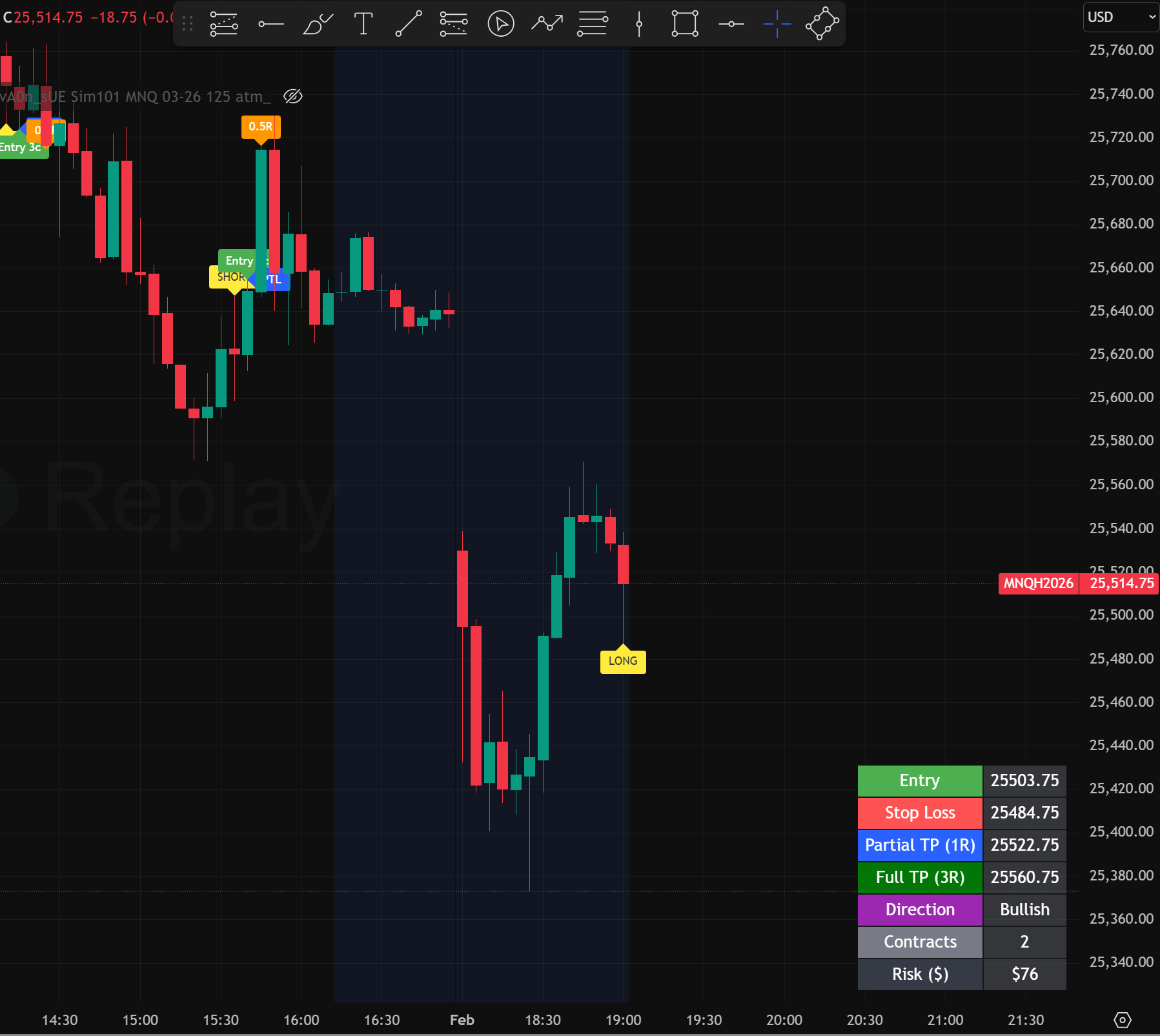
Quanticorn Trade Setup Table

Trade Setup Table

Real-time table showing entry price, stop-loss, partial take profit, full take profit, direction, contracts, and risk in USD. Everything you need to place the trade as a limit order at a glance.
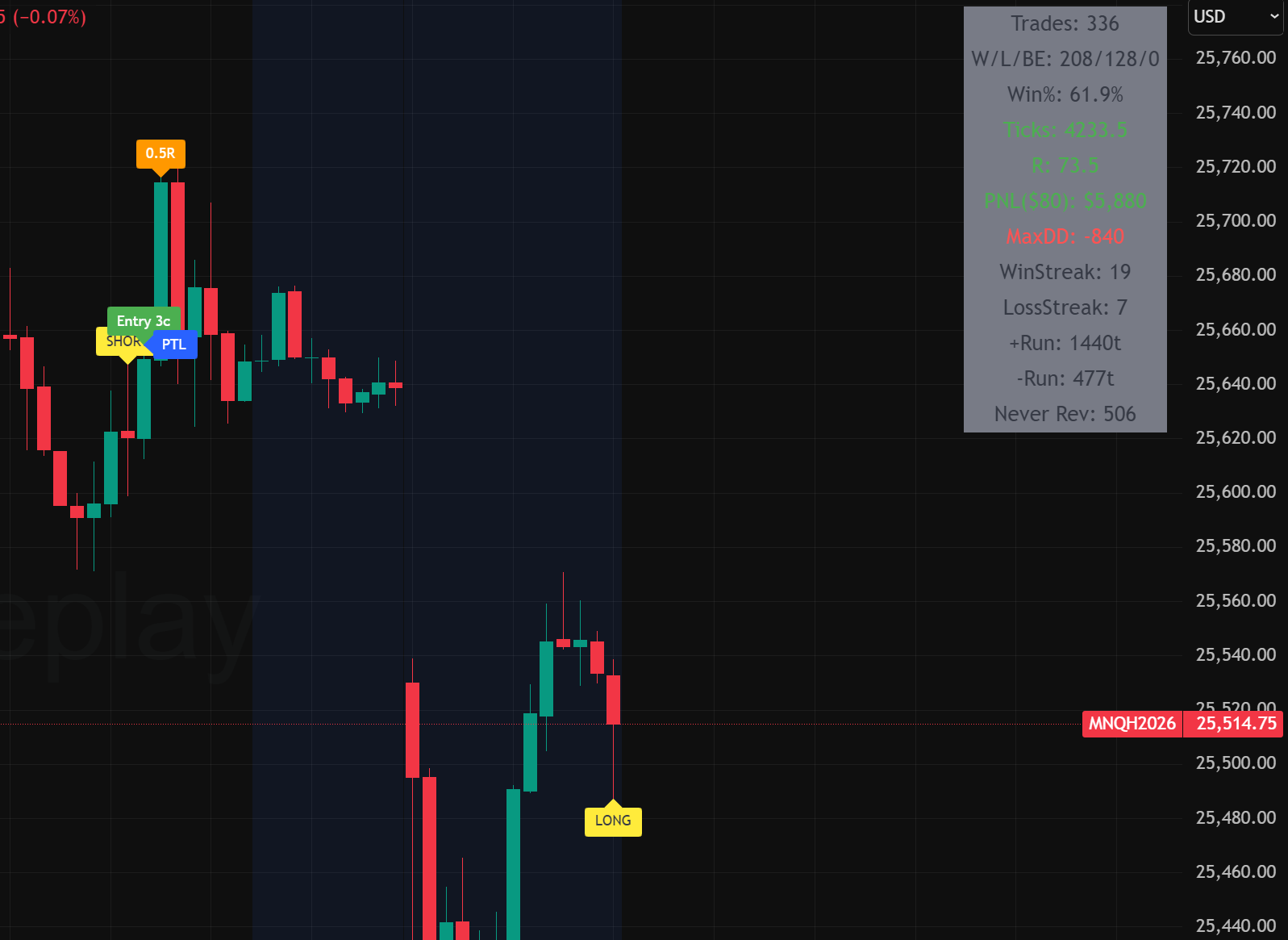
Quanticorn Backtest Stats Table

Backtest Stats Table

Live performance snapshot of your current p-settings: trades, PnL, total R, win rate, max drawdown, and win/loss streaks. Updates instantly when you adjust parameters so you can see how a configuration has behaved recently.
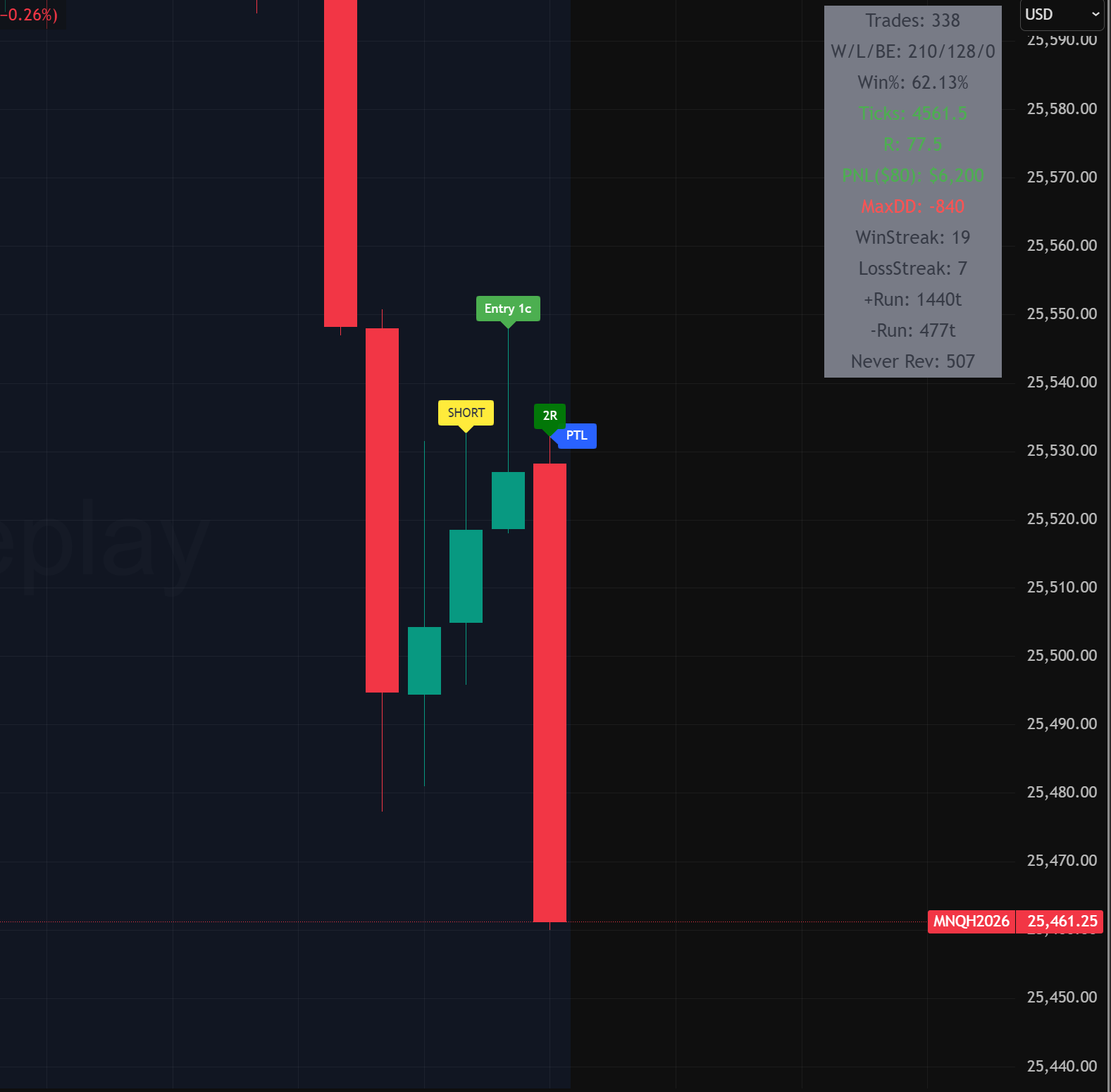
Quanticorn winning trade sequence

Winning Trade Walkthrough

A full trade sequence: setup detection, entry, partial, and full target with the stats table visible. Immediately see how the model structures trades around price inefficiencies and manages risk.
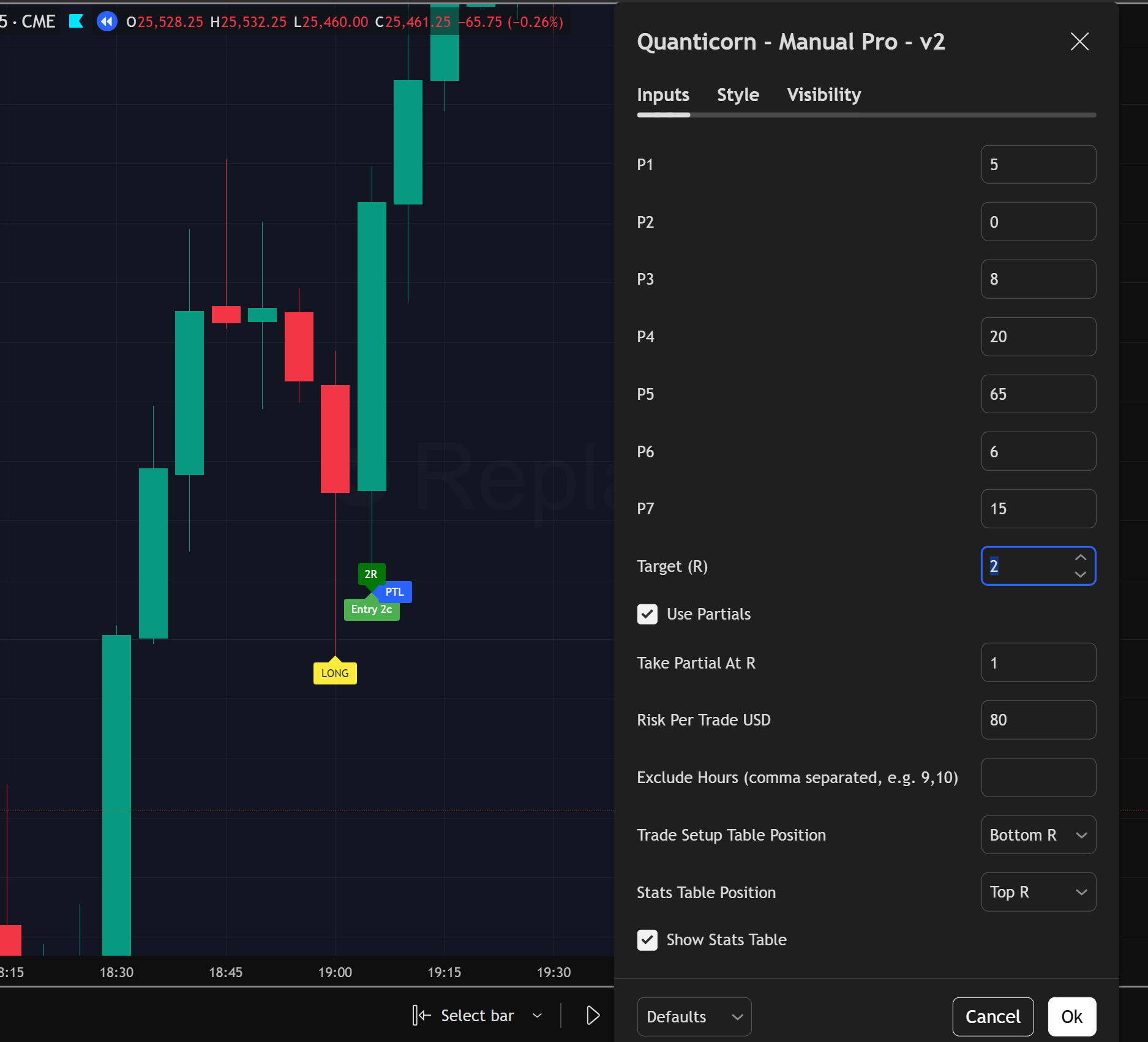
Quanticorn indicator user settings

Customisable Parameters

Fine-tune the model with adjustable inputs (P1–P7), target R, partials, risk per trade in USD, trading hours, and table positioning. Use our official presets from Discord or adapt them to your own style and risk tolerance.

Choose Your License

Monthly Pass

$47 /mo
  • Full indicator access
  • NQ / ES / MNQ / MES supported
  • Detection labels & trade setup table
  • Discord community & official p-settings
  • Cancel anytime
Subscribe Monthly

TradingView username requested at checkout.

Best Value

Annual License

$470 /yr

12 months for the price of 10 (17%+ savings)

  • All Monthly Pass features
  • Priority Discord support
  • Long-term access locked in
Get Annual Access

TradingView username requested at checkout.

How Access Works

1

Complete Your Purchase

Choose your plan (Monthly or Annual) and complete checkout via Stripe. You'll be asked for your TradingView username during payment—this ensures we can grant you script access immediately.

2

Join the Discord Community

After payment, you'll receive a private Discord invite link. Join the server and head to #verify-access or DM 🦄 Nicholas 🦄 with your TradingView username if you didn't provide it during checkout.

3

Get Your Script Access

Within 1–12 hours, you'll be granted access to the Manual Pro indicator on TradingView and assigned the Subscriber role in Discord. Head to #latest-p-settings for the current parameter values.

4

Start Trading

The indicator appears in TradingView under Indicators → Invite-only scripts. Add it to your charts (1min/3min/5min on NQ, ES, MNQ, MES). Questions? Ask in #general or DM Nicholas directly.

Note: If you didn't provide your TradingView username during checkout, don't worry—just send it via Discord DM and we'll get you set up.

Frequently Asked Questions

What if I forget to provide my TradingView username?

No problem. If you didn't enter it during the Stripe checkout, simply join our Discord and DM 🦄 Nicholas 🦄 with your username. We will match it to your payment and grant access manually.

How long does it take to get access?

Access is granted manually to ensure security. This typically happens within 1–12 hours of purchase. You will receive a notification in Discord once your account has been whitelisted.

Which timeframes and instruments does this work on?

The indicator is optimized for the 1min, 3min, and 5min charts. It is specifically designed for NQ, ES, MNQ, and MES futures. Access to the latest optimized parameter settings (P-settings) is provided in the subscriber-only Discord channel.

Do I need a paid TradingView account?

No, the indicator works on the Free, Essential, Plus, and Premium versions of TradingView. However, a paid TradingView account may be required if you wish to use more than two indicators simultaneously or use specific alert features.

How do I cancel my subscription?

You can cancel at any time through the Stripe Customer Portal (link provided in your initial receipt) or by contacting us at indicator@quanticorn.com. Your access will remain active until the end of your current billing period.